
Pay for Your Order
Once you have the cryptocurrency ready to transfer, the payment process is very simple:
On your order page, enter your email address and country.
Select "NOWPayments" as your payment method and click the "Pay now with crypto" button.
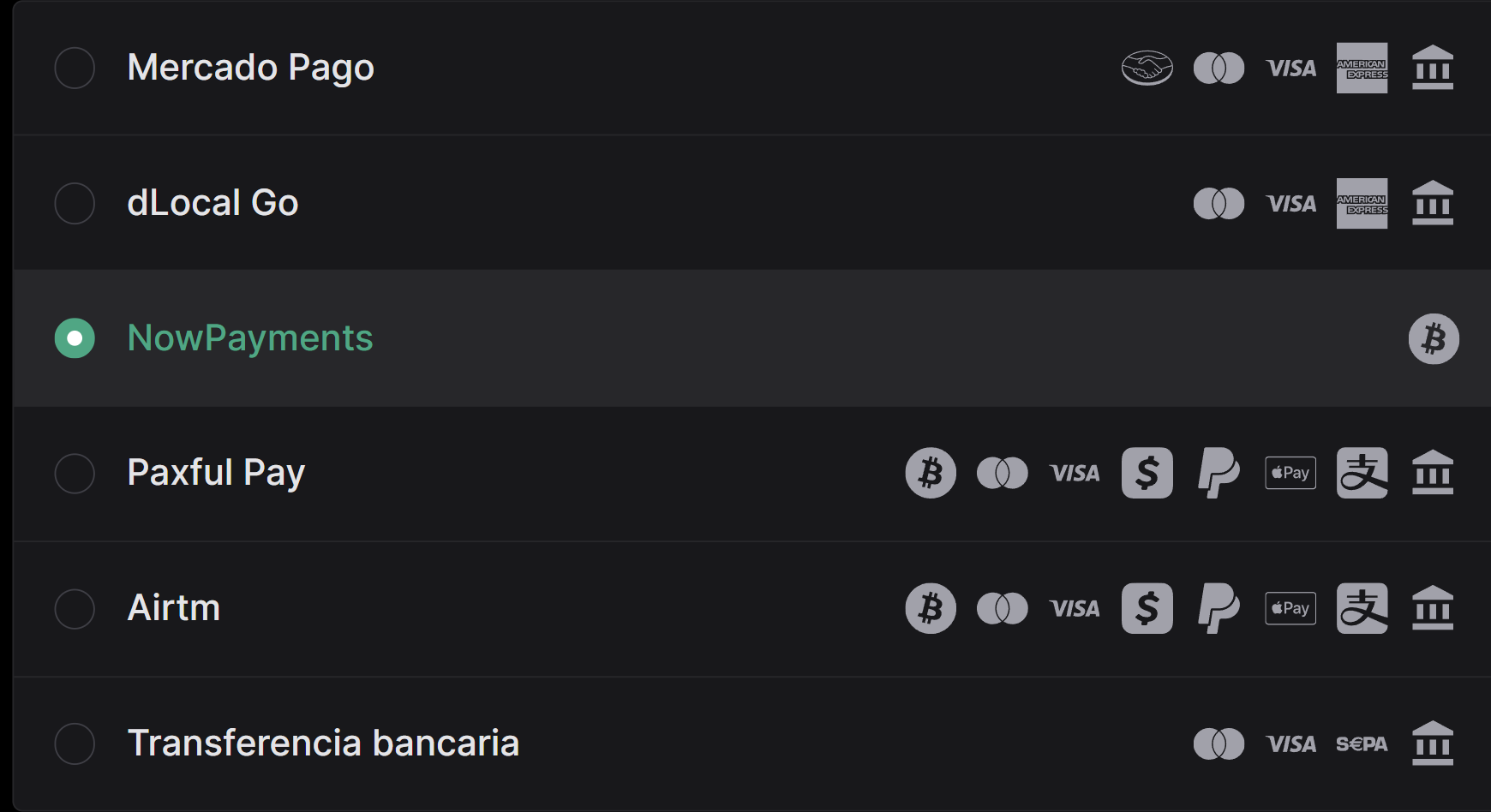
From the list, select the cryptocurrency you want to use, then click "Next Step."
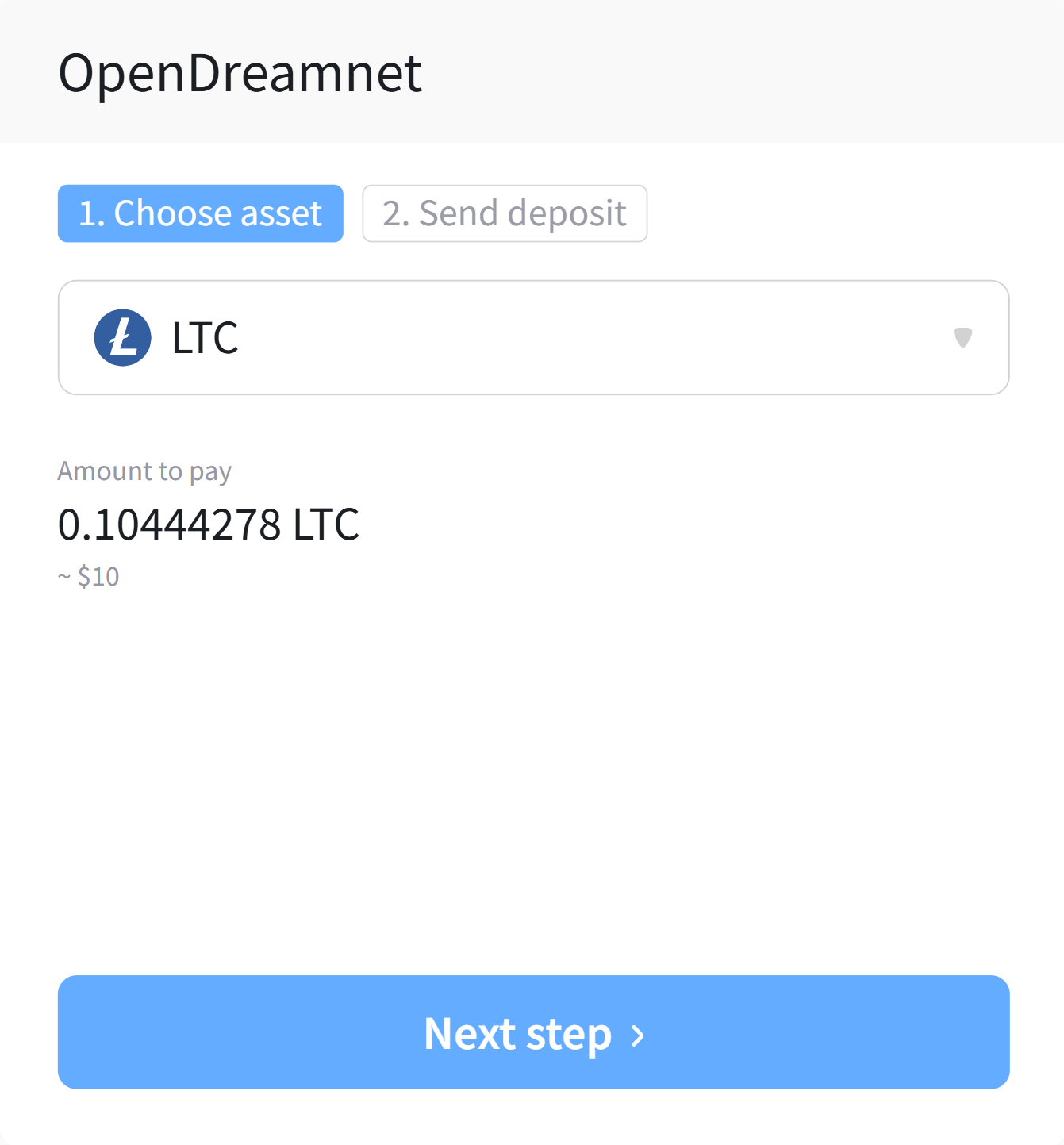
On the next screen, make sure to save the information shown for "Amount" and "Address." We recommend not closing this page until your payment is complete.
Example: Amount: 0.10425067 LTC - Address: MF9GLMECKEvuERMJpAwcJ9HRPEpSHzGyRo
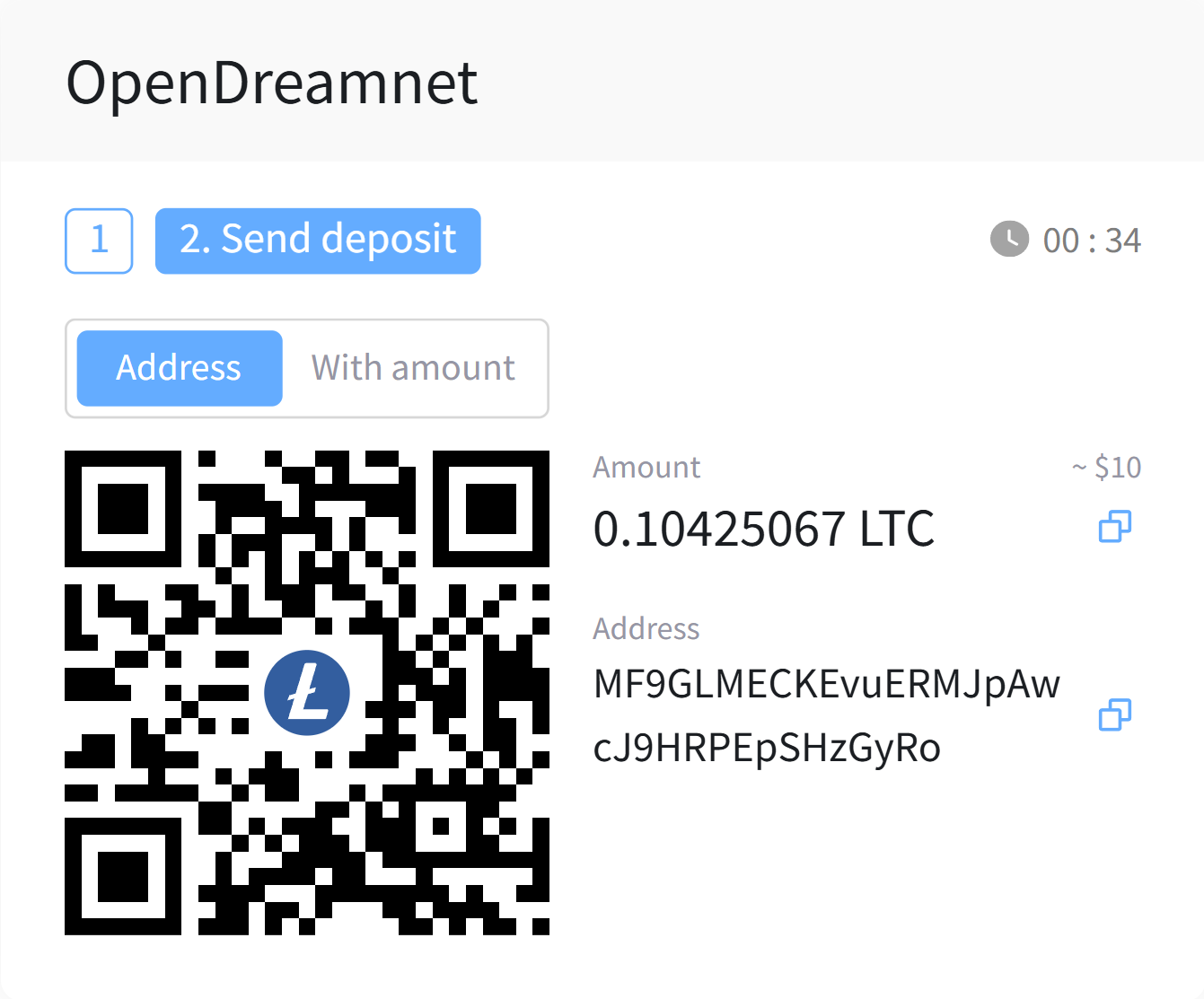
Open the platform or wallet where you have your cryptocurrency and go to the "Withdraw/Send/Make a Payment" page.
Enter the amount and the address you noted from the NOWPayments order page, complete any security checks, and send the payment.
If you are not paying with a low-fee cryptocurrency like LTC, make sure to cover the transaction fee in the amount you send. Otherwise, your payment might not be automatically confirmed. If this happens, please open a support ticket and we’ll be happy to help you.
Congratulations! Now you just need to wait a few minutes for your payment to be confirmed. You can check the status of your payment in real time both on the NOWPayments order page and in the OpenDreamnet Billing order page.
I have already made the payment but it is not reflected yet, why?
Depending on the cryptocurrency used, your payment may take up to 45 minutes to be confirmed. If you do not see any changes to your order after this time, please open a support ticket and we will be happy to help you find a solution.